
Kindhome Launcher
Calm, simple home screen for seniors: big tiles, photo contacts, SOS button.

On your phonePoint the camera at the code: play online or install on Android or iPhone.
- Free
- No ads
- 2 languages
- Age 4+
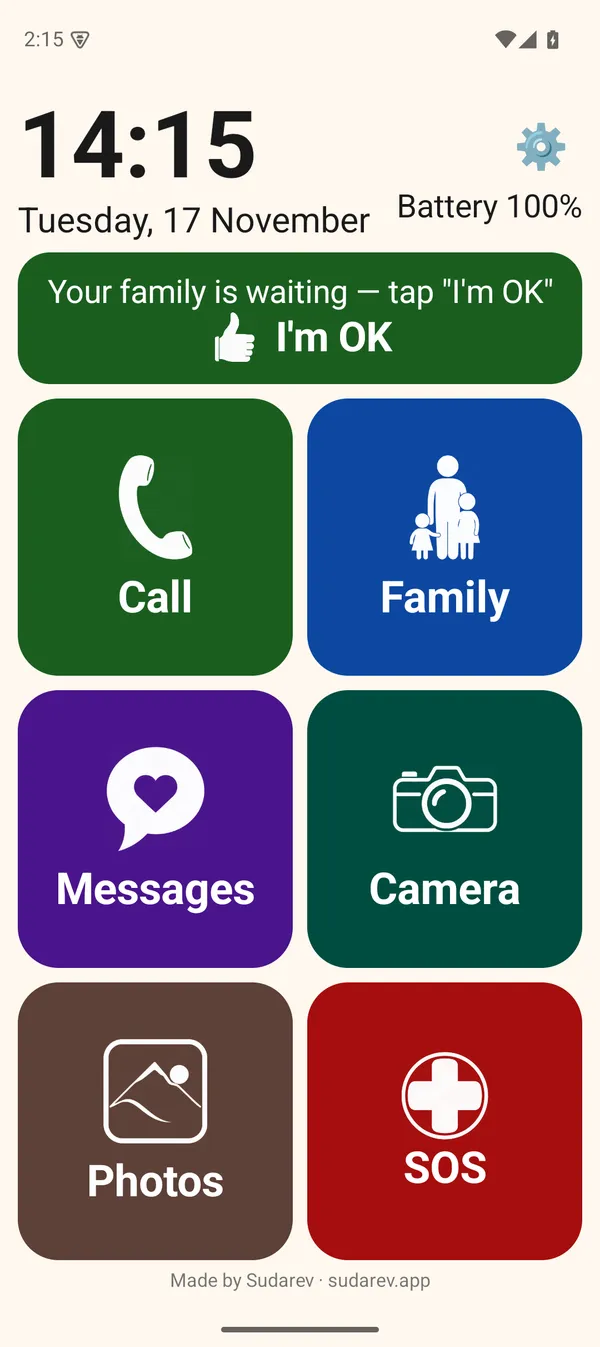
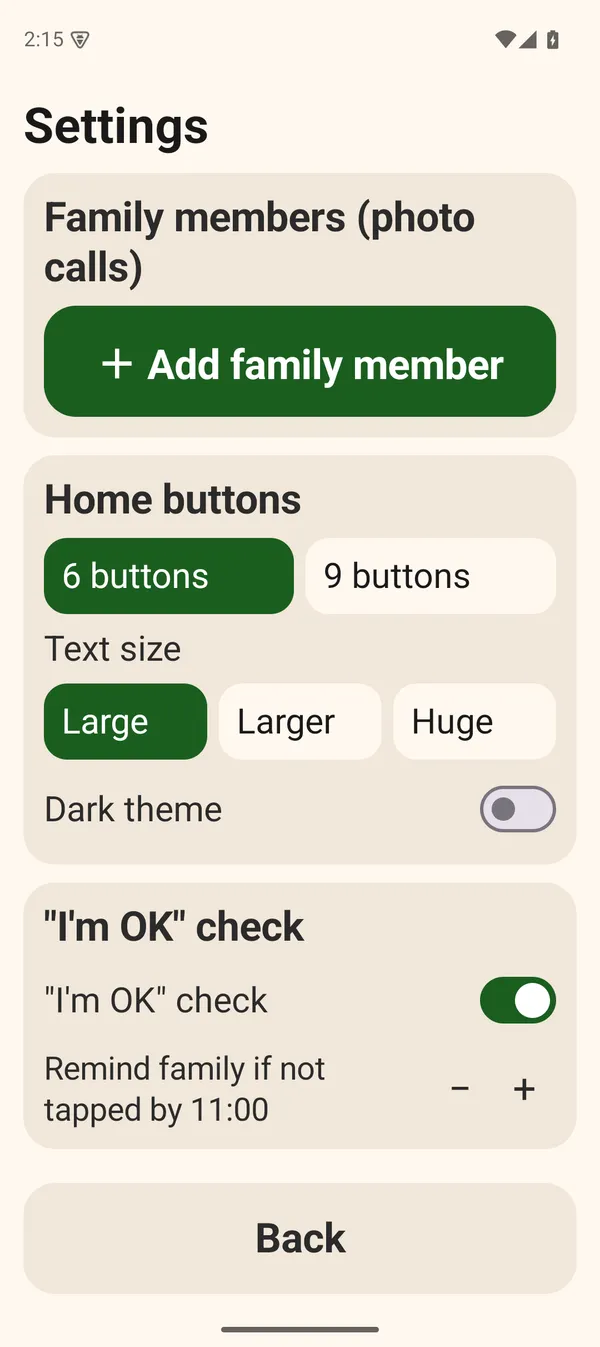
Screenshots
What's new
Google Play · Version1.0.0
Updated:
Data from the store as ofNovember 26, 2026
Features
- Big buttons with photos
- SOS with location
- “I’m OK” every day
- Medicine reminders
- Remote setup by family code
Kindhome turns an Android phone into a calm, simple home screen for older people.
Relatives set it all up remotely with the free Kindhome Family app and a family code — no account, no sign-in, no ads.
- big, clear tiles with large text — calls, messages, camera, photos
- favourite people with photos: one tap to call
- SOS button that calls the chosen relatives
- photos and greetings from the family appear right on the screen
- the time and date are always big and easy to read
- tiles can be read aloud
Frequently asked questions
Does it need an account?
No. Phones are linked with a family code; you can delete all data in Settings.
Which phone does the parent need?
Any Android 8+ phone. The Family app works on iPhone and Android.
How much does it cost?
It’s free. No ads. Optional one-time purchases — you never need them to play.
Does it work offline?
It needs the internet for the main features.
Which devices does it run on?
Android.
What data does it collect?
Only what the app needs to work — the full list is in the privacy policy. Privacy policy
How do I delete my data?
Data on your device is deleted with the app. If you signed in, delete the account in the app or on the page below. Delete account
Something doesn’t work
Email [email protected] with the app name, your device and what happened.
More apps by Sudarev
 Kindhome FamilyA simple home screen for your parents, set up from your phone.
 MENTISMemory and mental math trainers, 2,800 English words and fascinating facts.
 TrimKeepTrim and join videos without quality loss. Reels, Shorts, music, text, filters.
 FilewickTidy files, find duplicates, free up space — and open your Mac from your phone.
Support
Questions, bugs or ideas? Write to us — we usually reply within 2 days.